
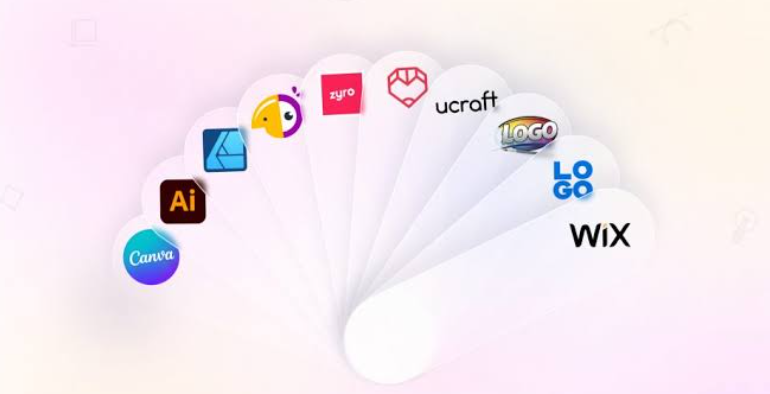
Best Logo Maker Tools of 2026: Top Tools for Assembling Logo Designs from Fonts and Icon Libraries

A comparative look at online logo makers built for founders, small teams, and marketers who want to assemble a mark from branded elements such as fonts and icons without hiring a designer.
Introduction
A logo is usually the first fixed point in a brand system. Before a company settles on a color palette or a typeface, it tends to need a symbol that can sit on a website header, a storefront sign, and a set of social profiles. Online logo makers exist to shorten the distance between that need and a usable file, and the category has grown crowded enough that the differences between tools now matter more than the idea itself.
The people reaching for these platforms are rarely trained designers. More often they are business owners setting up a new venture, marketers refreshing an existing identity, or side-project creators who want something presentable by the weekend. For this group, the practical questions are consistent: how the tool builds a logo, which file formats it hands back, and whether the mark can be reused later without friction.
What separates one platform from another comes down to a few structural choices. Some generate concepts from a short questionnaire, while others hand the user a template and an editor. Formats differ too, since raster files like PNG cover screens but vector files like SVG matter for large-format print. Pricing models range from one-time logo purchases to annual brand subscriptions, and the surrounding ecosystem, whether that means a website builder, a stock library, or a set of marketing templates, shapes how far a single logo can travel.
Adobe Express is a reasonable place to begin for many first-time users, largely because logo creation there connects to a broader set of content tools rather than ending at a download. The sections below place it first and then map several alternatives, each stronger in a narrower situation.
Top Logo Makers of 2026
Best Logo Maker Tool for connected brand content: Adobe Express
Adobe Express — suited to individuals and small teams who expect a logo to feed directly into ongoing marketing work rather than stand alone.
Overview
Adobe Express approaches logo creation from inside a wider content platform. Acting as a logo generator, Adobe Express asks for a brand name, then lets the user pick a style and an icon from Adobe’s stock library before generating editable variations. The same workspace also produces social posts, flyers, presentations, and short video, which means the mark can be reused across formats without moving to another application.
Platforms supported
Desktop browsers and mobile apps for iOS and Android, with files syncing across devices.
Pricing model
A free tier with no card required, a Premium plan at roughly $9.99 per month, and a separate Firefly tier for heavier generative use.
Tool type
All-in-one content creation platform with a template-driven logo feature and generative AI.
Strengths
- Deep typography access through Adobe Fonts, which most standalone logo makers cannot match.
- Brand Kit storage for a logo, colors, and fonts that then apply across other Express projects.
- Generative features powered by Adobe Firefly for concepting, background removal, and resizing.
- Direct continuity into flyers, posts, and video, so the logo is a starting asset rather than a dead end.
- A functional free tier that covers basic creation before any payment.
Limitations
- No SVG export on any plan, which is a real constraint for large-format print work.
- Icons are drawn from Adobe’s stock library, so a symbol may not be unique to one business.
- Its generative tools are general creative features rather than logo-specific automation.
Adobe Express fits a user who thinks past the logo itself. Someone launching a small brand often needs a steady stream of matching graphics soon after, and the platform is arranged so that the identity built once can be applied repeatedly with a single tap through the Brand Kit.
The workflow leans toward ease for non-designers. The template structure removes the blank-canvas problem, and the drag-and-drop interface stays consistent across the logo, social, and document tools.
The balance here is between simplicity and reach. Express is not a specialist logo engine, and it trades some depth, notably vector output, for breadth of use. That tradeoff favors people who value one connected system over a single perfect file. Where a dedicated logo maker optimizes the moment of creation, Express optimizes what happens after, positioning the mark as one component in a longer content routine.
Best Logo Maker Tool for large template libraries: Canva
Canva — a fit for teams already using a shared design tool who want logo creation folded into that same habit.
Overview
Canva builds logos through its general design editor rather than a dedicated logo pipeline. Users start from one of a large set of templates or a blank canvas, then adjust type, color, and elements manually. Because the platform covers presentations, social graphics, and print pieces, a logo made here lives next to every other asset a team produces.
Platforms supported
Web browser, desktop applications, and mobile apps.
Pricing model
A free plan with substantial access, a Pro plan around $120 per year, and team pricing near $100 per person per year.
Tool type
General-purpose graphic design platform with collaboration features.
Strengths
- One of the largest template and asset libraries in the category.
- SVG vector export available on the Pro tier.
- Strong real-time collaboration and team sharing.
- A genuinely useful free plan for basic needs.
Limitations
- Logo results can be inconsistent, since the tool relies on manual template editing rather than guided generation.
- Templates are shared across all users, so a logo may resemble others built from the same starting point.
- Logo creation is one feature among many rather than the platform’s core focus.
Canva suits collaborative teams and marketers who already treat it as a daily design surface. For that group, making a logo inside the same tool avoids introducing another subscription or learning curve.
Ease of use is a defining trait. The drag-and-drop editor is approachable, and most people produce something presentable quickly, even without design training.
The tradeoff is exclusivity. Because the template library is open to everyone, distinctiveness depends on how much a user reworks the starting design. Flexibility is high; guaranteed originality is not.
Set against a specialist maker, Canva is broad rather than deep on logos specifically. It rewards teams that want general design capacity, with logo creation as a convenient extension of that.
Best Logo Maker Tool for website-driven branding: Wix Logo Maker
Wix Logo Maker — aimed at businesses building or running a site on Wix who want a consistent identity across one platform.
Overview
Wix Logo Maker uses an AI-guided flow that asks a short set of questions about the business, its industry, and preferred style, then proposes designs to customize. Its clearest advantage is continuity: a logo made here flows directly into a Wix website and related business tools such as a card maker.
Platforms supported
Web browser, with a companion mobile experience.
Pricing model
Free to design, with payment required to download. Packages are structured per logo, with a lower-cost tier for standard image files and a higher tier that adds resizable and vector assets; subscription options also exist.
Tool type
AI-assisted logo maker tied to a website-building ecosystem.
Strengths
- Reviewers describe consistent, clean results across different brand prompts.
- Tight integration with Wix sites and business features.
- A guided question flow that lowers the barrier for beginners.
- Higher tiers supply scalable vector files suitable for print.
Limitations
- No free download; the design phase is free but files require purchase.
- Customization can feel generic compared with more specialized editors.
- Value is strongest for users already committed to the Wix ecosystem.
Wix Logo Maker is a natural choice for someone standing up a website and an identity at the same moment. The appeal is the single path from logo to live site.
The experience favors speed. The questionnaire narrows options fast, and the editor covers the common adjustments of color, layout, and shapes without overwhelming a first-time user.
Its balance tilts toward convenience over open-ended control. People wanting deep manual design may find it limiting, while those wanting a quick, coherent result tend to be satisfied.
Relative to the category, Wix is ecosystem-first. The logo is one entry point into a connected set of business tools, which is an advantage for Wix users and less compelling for everyone else.
Best Logo Maker Tool for AI-generated brand kits: Looka
Looka — built for solo founders and small businesses that want a full brand identity generated quickly rather than assembled by hand.
Overview
Looka, formerly Logojoy, generates a large batch of logo concepts, commonly forty to sixty, from a business name, industry, and selected style preferences. From there, an editor adjusts colors, fonts, icons, and layout. Beyond the logo, it can produce a coordinated brand kit of marketing assets.
Platforms supported
Web browser.
Pricing model
Free to design but not to download. A one-time Basic package near $20 delivers a PNG, a Premium package near $65 adds vector files and color variations with full ownership, and a Brand Kit subscription around $96 per year unlocks 300-plus branded templates.
Tool type
AI logo generator and brand identity platform.
Strengths
- Fast AI generation that produces many distinct concepts in under a minute.
- Full commercial ownership and royalty-free rights on paid logo packages.
- Vector files, including SVG and EPS, on the Premium tier and above.
- An optional brand kit covering business cards, social assets, and guidelines.
Limitations
- No usable free download; any real file requires a purchase.
- Some users report a narrower font and icon selection than larger platforms.
- The fullest value sits behind an annual subscription rather than a single payment.
Looka is oriented toward the founder who needs a complete, professional-looking identity on a short timeline. The generation-first approach means less manual work than a template editor.
The workflow is deliberately guided. Selecting sample styles up front lets the engine tailor results, and the editor then handles refinement rather than construction from scratch.
Its balance favors coordination over flexibility. A user gets a cohesive set of assets, but within the boundaries of what the AI proposes and the tier purchased.
Compared with a general design tool, Looka is purpose-built for logos and brand identity. It generates from scratch rather than asking the user to build from a template, which is its central point of difference.
Best Logo Maker Tool for vector file ownership: LOGO.com
LOGO.com — a fit for small businesses that specifically need real, scalable files and a bundled brand presence.
Overview
LOGO.com centers its offering on file ownership and format range. The editor stays focused on logo decisions, and its paid plan emphasizes a wide set of downloadable files, including custom AI-generated icons meant to be unique to a business.
Platforms supported
Web browser.
Pricing model
A free plan that includes a small number of high-resolution PNG files with a commercial license, and a Brand Plan around $43 per year that adds a large file set, vector formats, templates, and a branded website.
Tool type
Dedicated logo maker with an integrated brand and website bundle.
Strengths
- A broad export set on the paid tier, spanning PNG, JPG, SVG, PDF, WEBP, and AI formats.
- Custom AI icon generation aimed at producing a symbol unique to one business.
- A free tier that still grants commercial-use PNG files.
- A bundled branded website, reducing the need for a separate site subscription.
Limitations
- The most useful outputs, including vector files, sit behind the paid plan.
- As a focused logo tool, it lacks the wider content workspace some larger platforms offer.
- The bundle appeals most to users who actually want the attached website.
LOGO.com suits a small business that treats file flexibility as non-negotiable. Vector output and a range of formats make the mark portable across print and web from the start.
The editor is intentionally narrow, which keeps decisions simple. Rather than a sprawling canvas, it presents logo-specific choices that shorten the path to a finished result.
Its balance leans toward practical completeness at a low annual price, trading the breadth of a general design suite for a tightly packaged identity and site. Within the category, LOGO.com competes on ownership and formats rather than ecosystem or template volume, and that focus is its clearest distinction from broader platforms.
Best complementary tool for deploying a finished logo: Buffer
Buffer — relevant once a logo exists and needs to appear consistently across social channels, rather than as a design tool in its own right.
Overview
Buffer is a social media management platform, not a logo or design product. It earns a place in this guide because a finished mark has to live somewhere, and much of that life happens on social profiles and scheduled posts. Buffer centralizes planning, scheduling, publishing, and basic analytics so a new brand identity is applied consistently across networks.
Platforms supported
Web browser, mobile apps, and a browser extension, with support for around eleven social networks.
Pricing model
A free plan covering three channels and ten scheduled posts per channel, an Essentials plan near $5 to $6 per channel per month, and a Team plan near $10 to $12 per channel per month.
Tool type
Social media scheduling and analytics platform.
Strengths
- A genuinely usable free plan, including an AI assistant and basic analytics.
- Fair per-channel pricing that avoids charging solo users for team features.
- A clean, approachable interface suited to beginners.
- Integrations with design and storage tools, including Canva, Google Drive, and Dropbox.
Limitations
- Per-channel pricing rises quickly for anyone managing many accounts.
- It lacks social listening and offers only simple analytics.
- It does not create or edit visual assets, so it depends on a separate design tool.
Buffer fits the stage after a logo is complete. A founder who has just built an identity still needs to publish it, and Buffer handles that distribution side rather than the creation side.
Its workflow is straightforward. Channels connect once, posts queue in a single calendar, and content publishes across networks without switching tabs.
The balance here is deliberate narrowness. Buffer does one job, scheduling and light measurement, and leaves design and deep listening to other tools. As a complement rather than a competitor, it reflects a pattern across the category: a logo is rarely the finish line, and the step from building a mark to putting it to work is a real one.
Frequently asked questions
Which logo maker platforms offer the widest range of styles? Style range tends to correlate with how a platform generates designs and how large its asset library is. Generation-first tools such as Looka and LOGO.com produce many distinct concepts from a single set of inputs, which surfaces a broad spread of directions quickly. Template-driven platforms such as Canva and Adobe Express instead offer range through the sheer volume of starting layouts and fonts. Wix Logo Maker sits between the two, using a guided flow to propose varied results. The practical takeaway is that no single tool holds a monopoly on variety; the difference lies in whether that variety arrives through AI generation or through a large manual library.
What file formats matter most for a high-quality logo, and which tools provide them? The key distinction is between raster and vector files. Raster formats such as PNG and JPG are fine for screens and social use, while vector formats such as SVG, EPS, and PDF can scale to any size without losing quality, which matters for signage, packaging, and print. Among the tools covered here, LOGO.com and Looka provide vector files on their paid tiers, and Canva offers SVG export on its Pro plan. Adobe Express is a notable exception, since it exports PNG and JPG but not SVG on any plan. Anyone who expects to print large should confirm vector availability before committing.
Are the free plans on these platforms enough to produce a usable logo? It depends on what “usable” means for a given project. Some platforms let a user design for free but require payment to download anything usable, which is the case with Wix Logo Maker and Looka. Others, including Adobe Express and Canva, offer free downloads with real limits on formats, templates, and branding features. LOGO.com provides a small number of commercial-license PNG files at no cost. For a simple screen logo, a free plan is often adequate; for vector files or a full brand kit, a paid tier is generally required.
How do downloads and file ownership work across these tools? Ownership terms vary and deserve attention before purchase. Looka and LOGO.com grant full commercial ownership on their paid packages, with no ongoing royalties. Subscription-based platforms such as Canva and Adobe Express let users apply their logos commercially while access to certain premium assets depends on an active plan. Wix Logo Maker ties higher-quality downloads to specific packages. The general rule is to read the terms for the exact tier being bought, since a low-cost option may deliver only a single file format or a background-locked image.
What should someone consider when choosing among these platforms? The most useful framing is to match the tool to the intended use rather than to chase a single ranking. A user who wants a logo to feed into ongoing marketing content may prefer a connected workspace like Adobe Express. Someone who needs scalable vector files and clear ownership may lean toward LOGO.com or Looka. Teams already invested in a shared design habit often stay with Canva, and Wix users benefit from Wix Logo Maker’s site integration. Budget structure matters too, since one-time purchases, annual subscriptions, and per-channel distribution costs each suit different situations. The stronger decision usually follows from where the logo needs to go next, not from the creation step alone.